

Stadiums, arenas, convention centers, airports, and other high-traffic venues operate in an environment where there’s very little room for error, and when thousands of people gather in a single space, the complexity of managing their safety increases exponentially.
For a long time, many venue teams have operated in a reactive mode, waiting for a problem to occur before scrambling to fix it. Maintaining a high standard of safety requires a shift toward proactive readiness. A small issue, such as a spill in a high-traffic corridor or a malfunctioning gate, can quickly turn into a major crisis if the initial response is slow or based on inaccurate information.
Digital tools provide the structure that venue teams need to handle these complex situations as they happen. By following established incident management best practices and using the right software, operations managers can keep communication clear and ensure that safety protocols remain consistent across every event.
1. Real-Time Monitoring and Incident Reporting
Spotting issues early is much easier when it’s simple for every staff member to report what they see. When a venue moves away from paper logs and toward a live digital feed, the command center gains the ability to see incidents the moment they occur. This transparency helps teams stay ahead of potential disruptions.
Digital tools offer several advantages for real-time awareness:
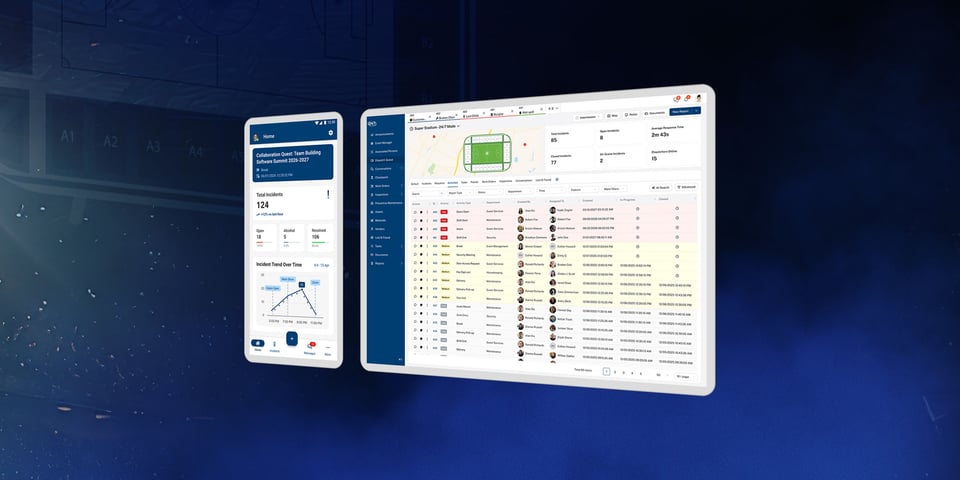
- Digital maps help dispatchers see exactly where problems, such as crowded exits or broken equipment, are piling up.
- Mobile tools allow staff on the ground to send photos and notes instantly.
- Real-time updates provide a clear, visual picture of the situation without relying solely on radio traffic.
2. Centralized Communication for Crisis Management
One of the greatest risks to venue safety is fragmented communication. When different teams use separate methods to talk, such as various radio channels, text messages, or verbal relay, important information often gets lost. This breakdown slows the response time and creates confusion when decisions need to be made quickly.
Centralizing everyone in a single platform ensures that security, medical, and cleaning crews are all looking at the same information simultaneously. Modern software can automatically alert the right people based on the specific type of problem reported. This means dispatchers don’t have to stop and make individual phone calls for every minor issue.
Finally, keeping a digital record of all messages ensures that instructions are understood and that there’s no question about who is responsible for a specific task.
3. Data-Driven Decision-Making
Effective venue management shouldn’t rely on guesswork. Using incident management best practices involves looking at records from past events to help managers plan where to put staff based on facts. If data shows that a specific gate consistently experiences congestion during the second hour of an event, venue leaders can move resources to that area before the crowd arrives.
Tracking where and when incidents happen helps identify specific areas that might need better lighting, more security, or structural changes. During a live event, dashboards let leaders check how fast teams are responding to calls.
24/7 Software helps venues see the difference between a one-time accident and a recurring problem that needs a new long-term plan, allowing for smarter resource allocation over time.
4. Streamlined Compliance and Safety Protocols
Keeping up with safety laws and insurance requirements is an ongoing challenge, especially when documentation is handled by hand or through scattered spreadsheets. Inconsistent recordkeeping can leave a venue vulnerable during audits or legal inquiries.
Operations software simplifies this by building safety steps directly into the daily workflow:
- Digital checklists ensure that every safety check and walk-through is finished correctly before the doors open.
- Automating recordkeeping creates a permanent history of safety work that protects the venue.
- Standardized steps help new or temporary staff members follow the right rules without needing constant, direct supervision.
5. Improved Training and Preparedness
The best way to prepare for a crisis is to practice using the tools and data already at your disposal. Logs from real past events provide the best examples for training new staff members on what to expect. Reviewing an incident is far more helpful when the team can look at a digital timeline to see exactly what worked and what didn’t.
This data also highlights where staffers might need extra help or training, such as handling difficult crowds or providing first aid. By using incident management best practices every day for small things, the team becomes confident and ready to use the system during a real emergency. Consistent use ensures that when the pressure is high, the technology feels like second nature rather than an obstacle.
Building a Culture of Operational Excellence
Managing a venue safely is a continuous cycle of preparation, taking action, and learning from what happened. Using a venue management system helps teams stop just putting out fires and start staying ahead of potential issues before they escalate.
24/7 Software provides the tools for quick dispatching, clear reporting, and smart data analysis that are essential for modern operations.
When the technology is as capable as the team using it, the venue becomes safer for employees and more enjoyable for every guest who walks through the doors. But venue management doesn’t end once the guests leave the venue. To learn about how your facility remains safe around the clock, check out our on-demand webinar, “24/7 Operations in a 9-to-5 World: Lessons from the Venues That Never Sleep.”

.jpeg?width=960&length=960&name=Image%20(2).jpeg)